


A patient has a GP consultation at one location and is referred to physiotherapy at another. Their notes sit in the clinical record, the referral arrived by email, imaging is held in a specialist platform and billing starts somewhere else. By the time the patient reaches reception, someone has printed a worksheet so the next team can see what is supposed to happen.
The clinic has bought digital tools, yet paper has become the only place where the whole journey comes together. This is how multi-site, multi-discipline groups end up carrying more admin after each software purchase. In this piece, we explain which workflows practice management software should consolidate and where integrations still make sense. It also sets out a safer route for removing paper workarounds without interrupting care.
A clinic can be digitised and still operate manually
Buying software for each part of the organisation can create the appearance of digital maturity. The real test is whether information moves with the patient and whether a completed action can trigger the next one without being re-entered.
NHS England’s 2025 Digital Maturity Assessment findings make the distinction clear. Ninety-three per cent of trusts have an electronic patient record, while only 30% report fully integrated, bi-directional data flows. Almost all providers can access Shared Care Records, although staff still enter multiple systems because that access is not consistently embedded in daily workflows.
Those figures describe NHS organisations rather than independent clinics. They still show why software adoption and connected operations are different stages of the same job. A clinic can remove filing cabinets while leaving the underlying handoffs untouched.
How disconnected practice management software accumulates
Most clinic groups do not choose a fragmented operating model in one decision. It grows through reasonable local fixes.
A new site keeps the booking tool its team already knows. A new discipline brings specialist clinical software, while diagnostics arrive through a separate provider portal. Finance continues in the accounting platform, and a spreadsheet is created to give leadership a cross-site view.
Each system may perform its own function well. The problem appears between them. Patient identifiers can differ, appointment status may not update billing, and clinical completion may not trigger the administrative task that follows.
Staff then become the connection, copying information into another system and checking whether the transfer worked. When that becomes hard to follow, they print a form that can travel between desks.
Why paper returns after digital adoption
Paper is flexible. It does not need an API, another login or a matching data field. A colleague can add a note in seconds and leave it beside the person who needs to act. Under pressure, that makes paper an understandable workaround.
The cost appears later. A printed referral does not update when the electronic record changes, while a handwritten booking note cannot be searched across locations. Managers may know the workaround exists without being able to measure its use or see where information goes missing.
A June 2026 CQC assessment of Queen Elizabeth Hospital gives a recent example from UK healthcare. Inspectors found a mixture of paper and electronic patient records. Some safety-rounding activity was documented in a separate paper booklet and did not appear in the patient notes they reviewed.
This hospital example does not measure the prevalence of paper in private clinics. It shows the operational risk: when the same episode is recorded in separate places, staff must reconstruct the full picture.
Where fragmented systems disrupt the patient journey
The same patient becomes several records
Multi-discipline care depends on a consistent patient identity. When GP, physiotherapy and diagnostic teams use separate records, demographic changes or consent updates may reach one department without reaching another. Staff may create a duplicate because they cannot find the original record from a different site.
A shared identifier helps, although authorised teams also need the current clinical context and referral status. Otherwise, the patient becomes the person carrying information between services.
Referral and scheduling lose their connection
A referral is an instruction to begin a defined pathway. In a fragmented setup, it can arrive in an inbox while availability sits in another system. Someone must interpret the request, find the right appointment type and tell the referring team what happened.
The risk grows when disciplines have different appointment rules or clinicians work across locations. A connected workflow can keep the referral and booking status on the same record, leaving staff to manage exceptions.
Clinical activity and billing drift apart
Revenue leakage can begin when the billing platform cannot see that an appointment was completed or which service was recorded. Staff must re-enter the charge, with insurer rules adding more points where information can diverge.
Leaders can also struggle to compare delivered activity with billed activity because the totals come from different sources. Month-end reconciliation becomes an investigation into which system is right.
Group reporting has to be rebuilt
Separate systems rarely use identical definitions. One site may count a rescheduled appointment as a cancellation, while another reports it as an attended pathway event. Finance may report by invoice date while clinic teams use treatment date.
A spreadsheet can combine the exports, though it cannot repair inconsistent source data. Reporting teams must match categories and check totals before leaders can ask why performance changed.
What a connected operating model looks like
Healthy consolidation gives the group one operational view of the patient journey. Patient identity carries through scheduling and the clinical record, while billing remains connected to the care delivered. Leaders can compare locations using the same definitions.
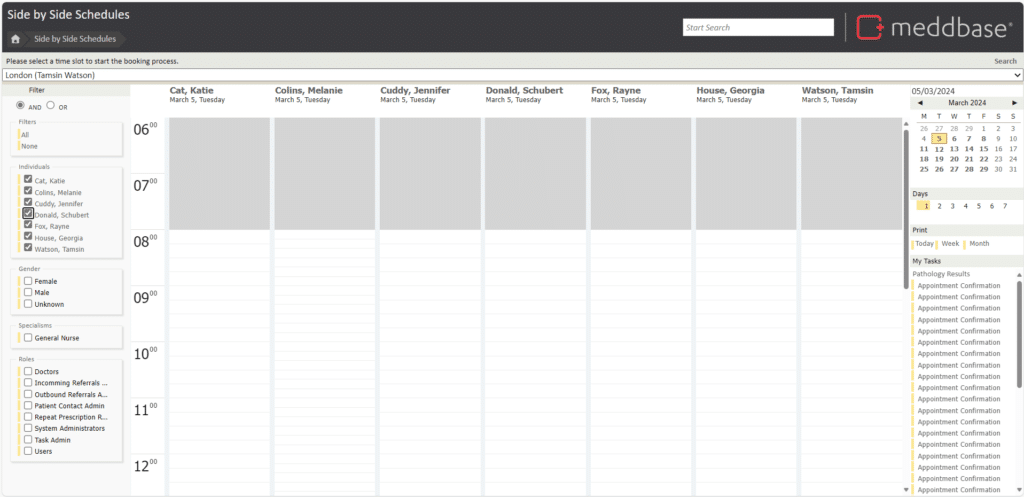
One product does not need to perform every specialist function. Core clinic workflow can sit in one platform, while specialist services exchange the information required to complete their part of the journey.
Paper can remain part of a controlled downtime or contingency plan. It should not hold the only record of a routine action or act as the daily bridge between systems.
What practice management software should consolidate
The core platform should contain the information and actions that define how the clinic runs:
- Each patient should have one identity and one current demographic record across authorised locations.
- Scheduling should show cross-site capacity, appointment status and the service being delivered.
- Clinical documentation should remain connected to the referral and the wider episode of care.
- Routine tasks, recalls and patient communications should follow configured workflows with visible ownership.
- Billing activity should use the services and appointment outcomes recorded in the same workflow.
- Permissions and audit records should apply consistently, with group reporting based on common definitions.
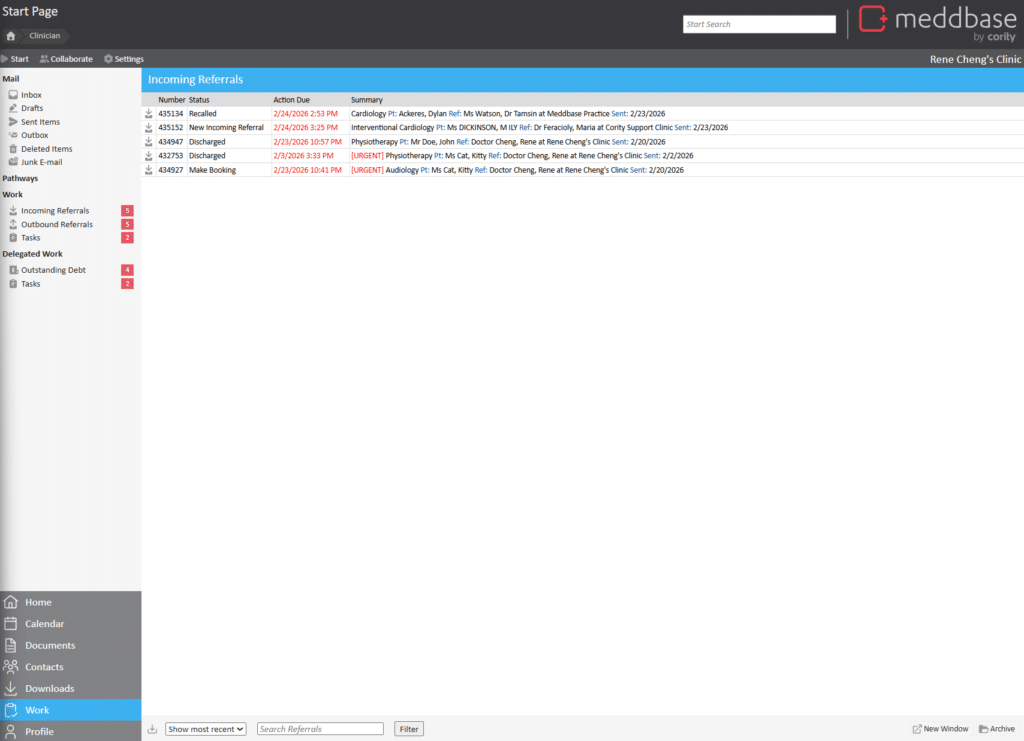
This is where a clinic management system becomes part of the operating model. It gives each discipline workflow flexibility while preserving a shared record across the group. Our earlier article on multi-location practice management software covers the cross-site scheduling and reporting side in more detail.
Where integration is the better answer
Some functions belong in specialist systems. Pathology services may return structured results from a laboratory platform, while PACS holds diagnostic images. Accounting, payment and electronic prescribing may also depend on external services.
These systems do not need to be replaced simply to reduce the software count. They need a maintained connection to the core clinic management system and a defined source of truth. We support integrations across areas including pathology, finance, billing, payments, prescriptions and PACS.
An integration should change the workflow rather than add a shortcut to another portal. If staff still download a result and upload it to the patient record, the systems remain operationally separate. The same applies when an interface cannot return the status needed to close the task.
Risk, governance and security across connected systems
Fragmentation makes information governance harder because responsibility is spread across several products and local workarounds. CQC’s Regulation 17 guidance requires providers to maintain a secure, accurate, complete and contemporaneous record for each person. Records must also be accessible to authorised people when needed for care.
Paper and electronic records can both meet the regulation. The governance burden rises when the organisation cannot identify the authoritative record or confirm that a correction reached every system holding the same information.
When reviewing clinic management software and its integrations, define ownership for each data field and document the direction of travel. Cover transfer failures and downtime actions, then make sure access controls follow the user and role across locations.
How to assess a clinic management system before consolidating
A feature comparison will not reveal how a platform handles the handoffs that push staff back to paper. Use real patient journeys and ask vendors to demonstrate what happens from referral through payment.
- Where does the authoritative patient record live, and how are possible duplicates resolved?
- Can authorised staff see the same current record when a patient changes location or discipline?
- Which actions update immediately, and which depend on a scheduled transfer between systems?
- What happens when an integration fails or receives data it cannot match?
- Can group reporting use one definition across sites without manual spreadsheet reconciliation?
- How are permissions, amendments and exports recorded for audit purposes?
- Can existing specialist systems connect through supported interfaces, and who maintains those connections?
- How will historical data, scanned documents and active pathways be migrated or retained?
Good clinic management software should make these answers visible in the workflow. A broad feature list matters less if staff still need a paper queue to know what requires attention.
How to retire paper without disrupting care
Start by mapping the workarounds already in use. Follow several patient journeys across locations and note each point where information is printed, copied into a spreadsheet or sent through an inbox because the next system cannot see it. Our guide to moving from manual to digital practice management also recommends planning migration and integration around existing workflows.
Assign an authoritative system to each data type. Redesign the routine pathway so the standard case moves automatically and staff receive a visible task when an exception needs judgement. Pilot it with a pathway that crosses locations or disciplines.
Withdraw paper forms through a controlled cutover and keep a separate downtime process. During the first weeks, measure duplicate entry and unmatched transfers alongside the time spent checking another system. This shows whether the design removed the manual bridge or moved it to a different screen.
The one operating view test
When paper contains facts that no system holds, it has become part of the clinic’s infrastructure. Adding another standalone tool leaves the underlying gap in place.
The test for a multi-site group is simple: can an authorised colleague see the patient’s current record, booking status, next owned action and financial position from one operating view? If the answer depends on a printed worksheet or someone’s private spreadsheet, the clinic is still running across the spaces between its systems.
Cority Meddbase connects patient records, scheduling, billing and operational workflows across locations, with integrations for specialist services that need to remain outside the core platform. If your group is rebuilding patient journeys on paper, talk to our team about which workflows should move into one platform and which systems need a maintained connection.
Sources
-
- Preparing the NHS for digital-by-default, NHS England
- Queen Elizabeth Hospital assessment report, Safe, Care Quality Commission, 3 June 2026
- Regulation 17: Good governance, Care Quality Commission
- Why multi-location practices should prioritise advanced practice management software, Meddbase